> ## Documentation Index
> Fetch the complete documentation index at: https://docs.casebender.com/llms.txt
> Use this file to discover all available pages before exploring further.
# AI Settings
> Configure and manage AI providers to enable intelligent features in your CaseBender instance.
## Overview
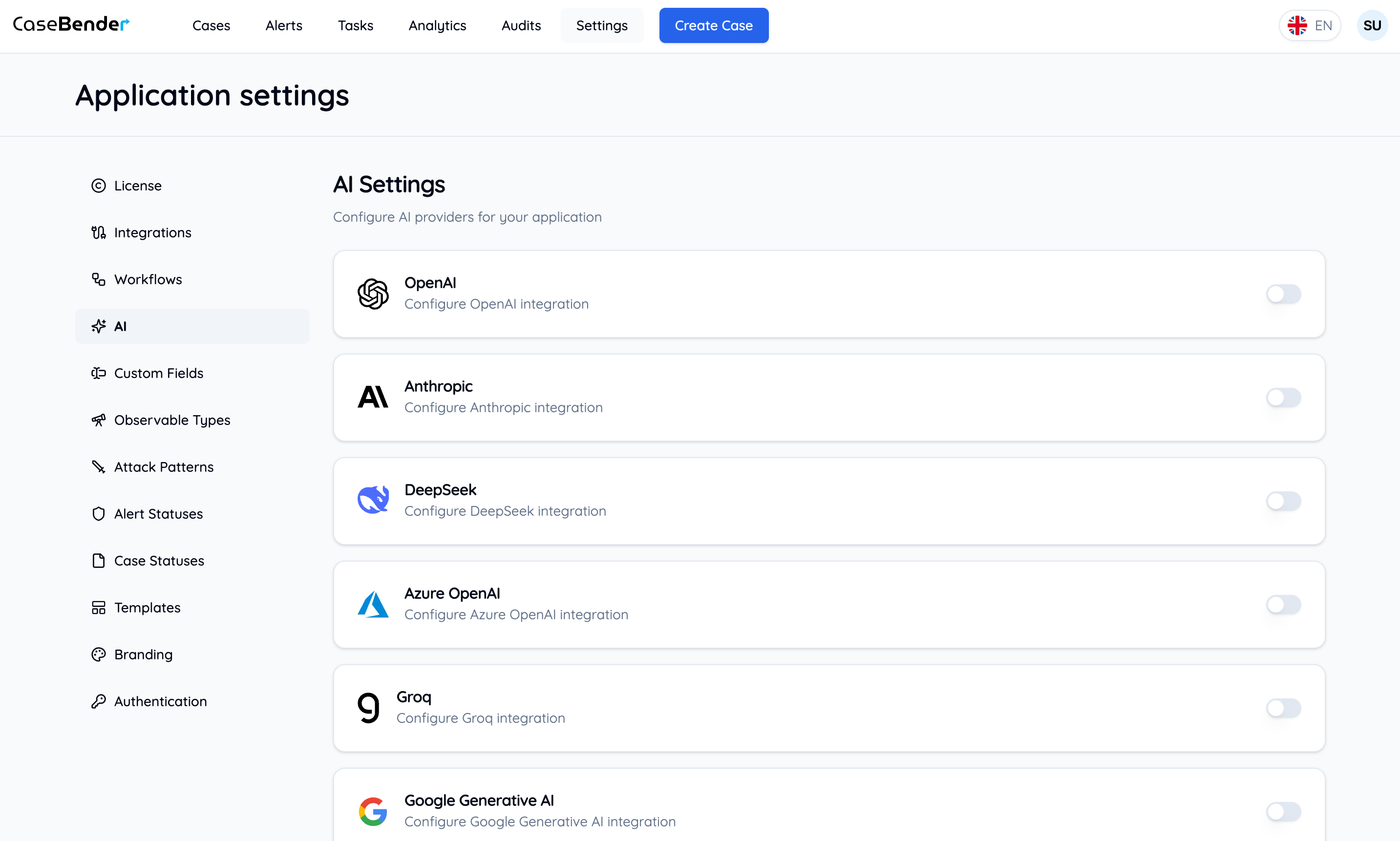
The AI Settings section allows you to configure various AI providers to enhance your CaseBender experience with intelligent features. This includes setting up providers like OpenAI, Anthropic, and others to power features such as case analysis, content generation, and automated processing.
 ## Configuring AI Providers
### Step 1: Enable Provider
To start using an AI provider, locate the provider card in the dashboard and toggle the enable switch:
## Configuring AI Providers
### Step 1: Enable Provider
To start using an AI provider, locate the provider card in the dashboard and toggle the enable switch:
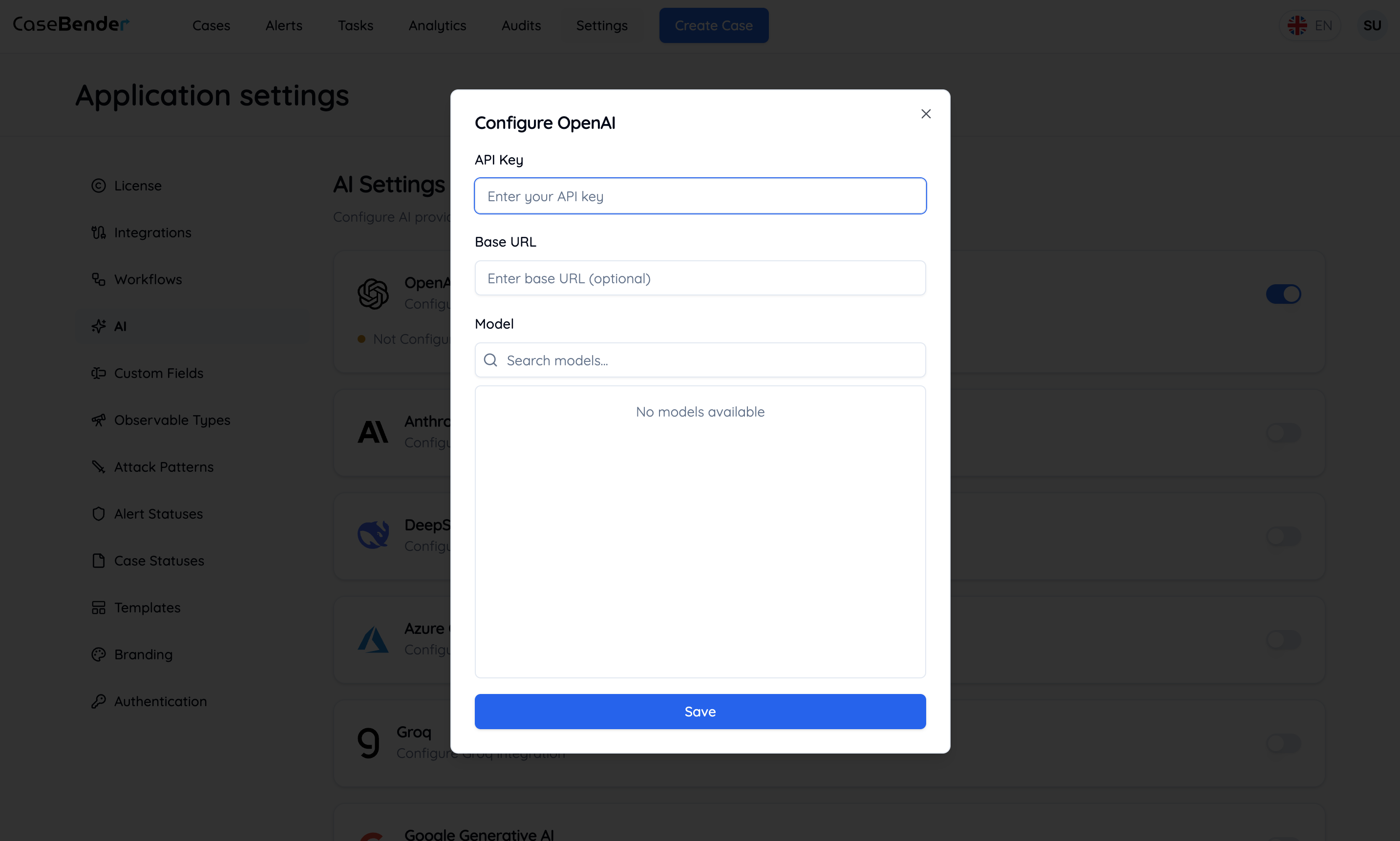
 The configuration modal will appear where you can:
* Enter your API key
* Configure basic settings
* Set usage limits
* Define access permissions
### Step 2: Model Selection
After entering a valid API key, you'll see available models for the provider:
The configuration modal will appear where you can:
* Enter your API key
* Configure basic settings
* Set usage limits
* Define access permissions
### Step 2: Model Selection
After entering a valid API key, you'll see available models for the provider:
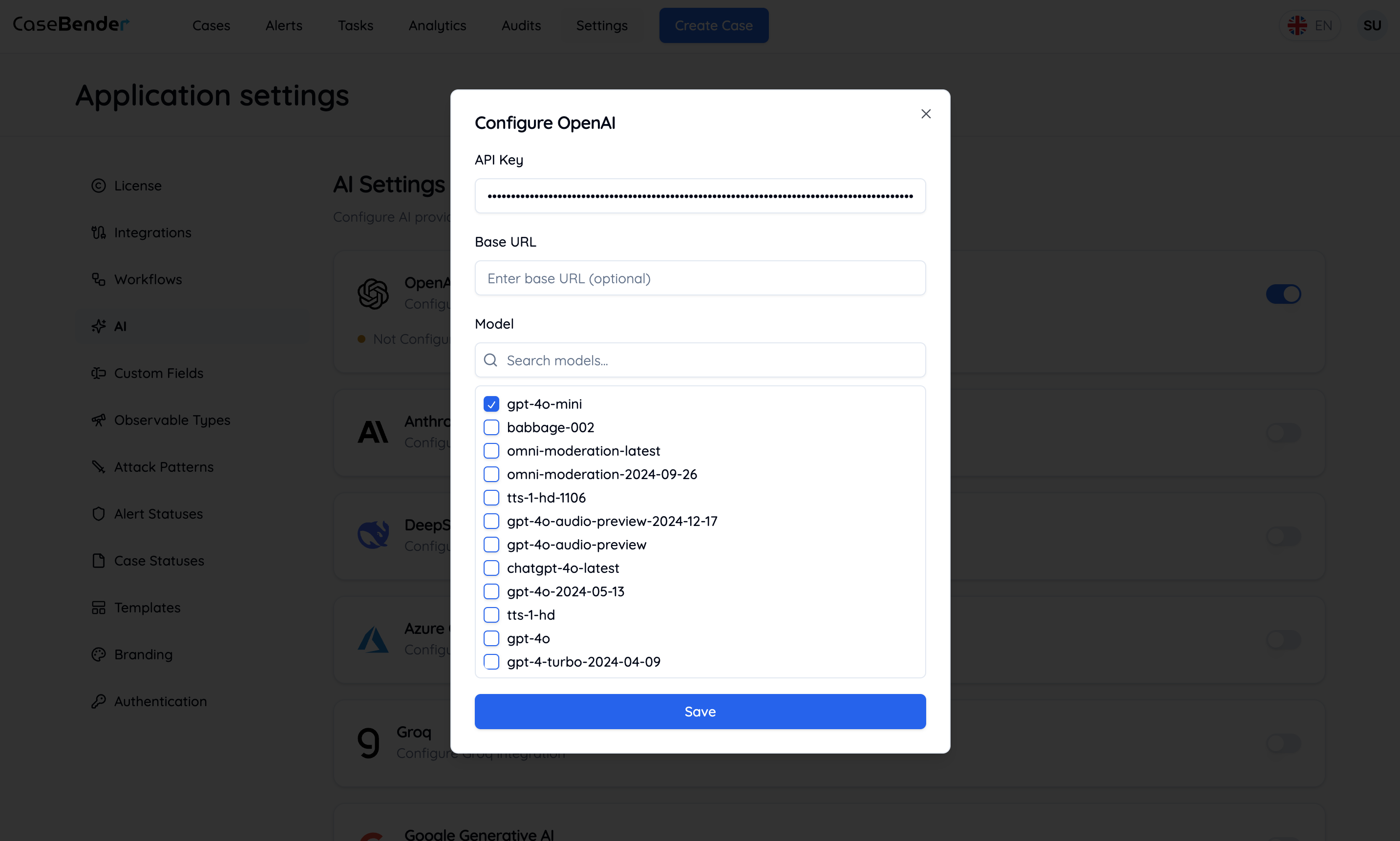
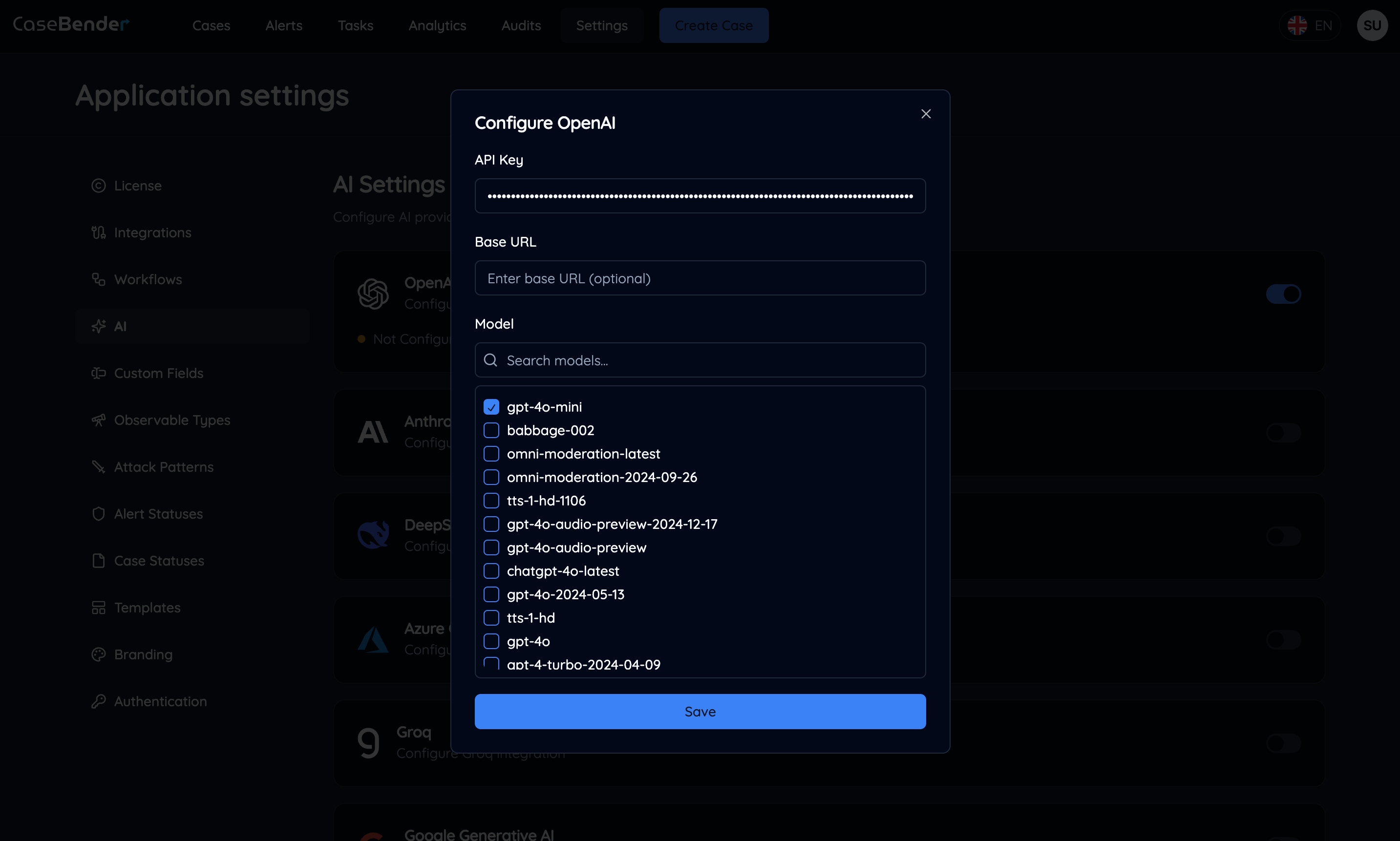 Configure model-specific settings:
* Select preferred models
* Set model-specific parameters
* Configure usage quotas
* Define model access permissions
### Step 3: Provider Configuration Complete
Once configured, the provider card will show its active status and configuration details:
Configure model-specific settings:
* Select preferred models
* Set model-specific parameters
* Configure usage quotas
* Define model access permissions
### Step 3: Provider Configuration Complete
Once configured, the provider card will show its active status and configuration details:
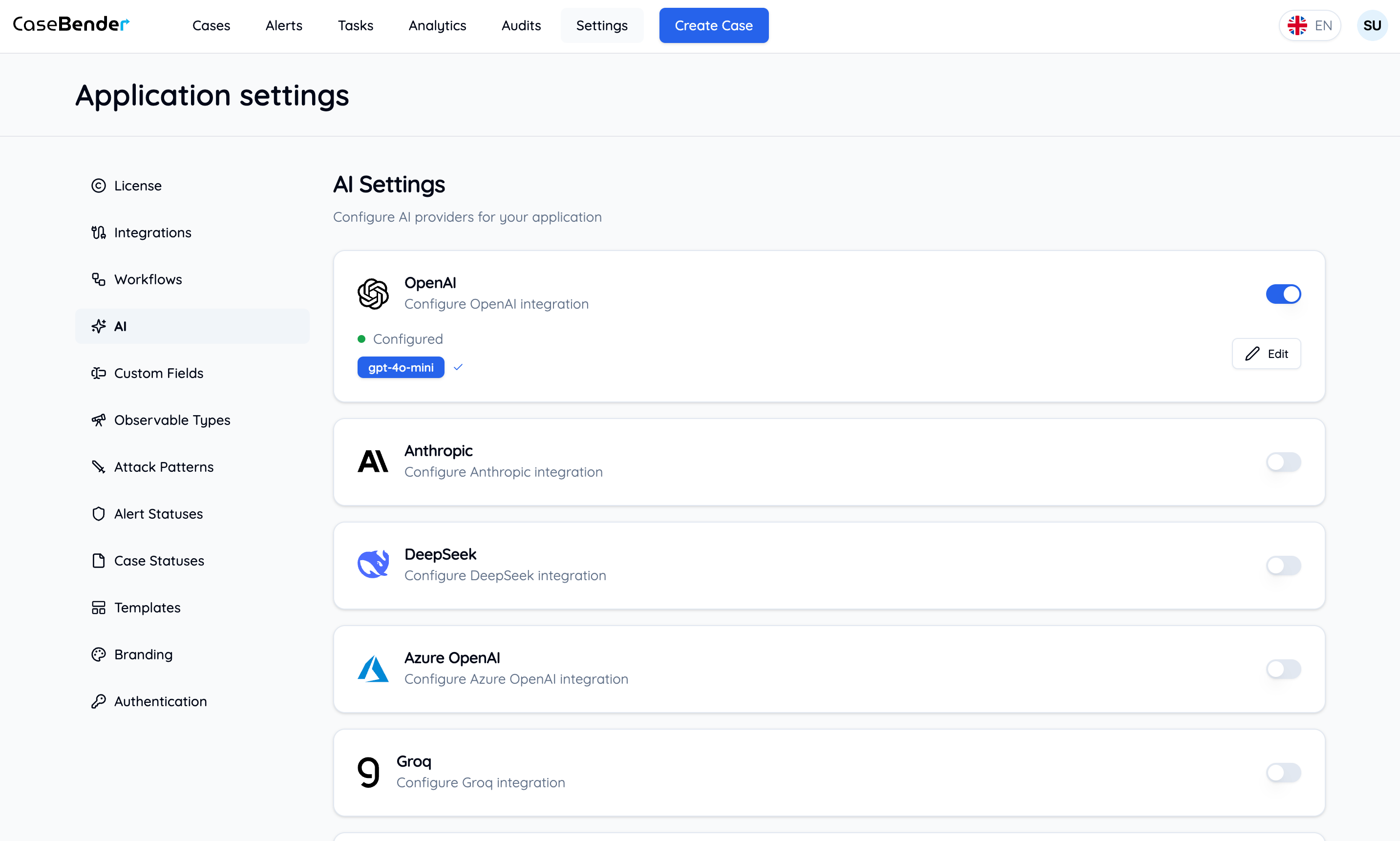
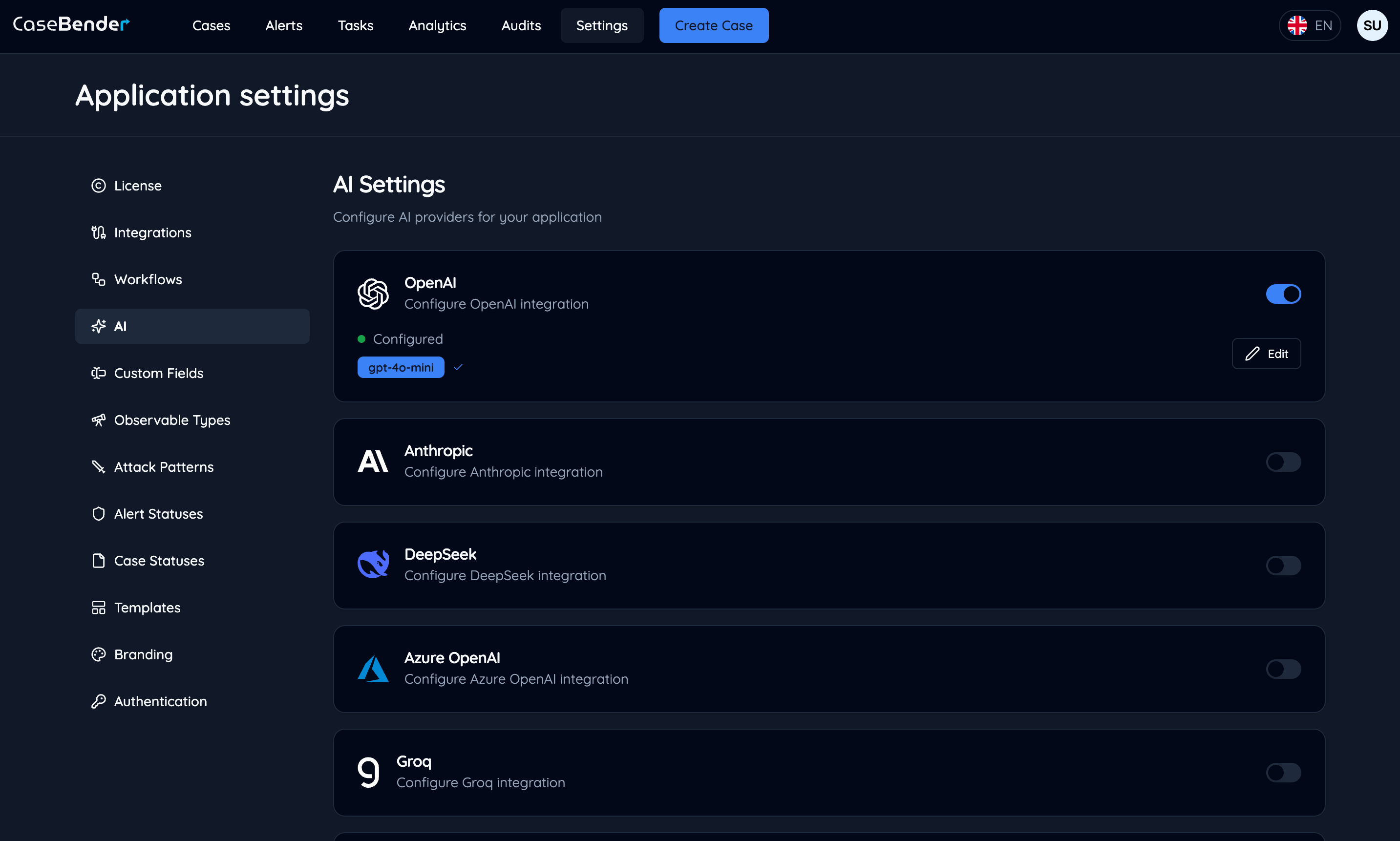 The configured provider card displays:
* Active status
* Selected models
* Usage statistics
* Quick access to settings
## Available Providers
### OpenAI
* GPT-4 and GPT-3.5 models
* Text generation and analysis
* Code assistance
* Data extraction
### Anthropic
* Claude and Claude 2 models
* Advanced reasoning
* Document analysis
* Complex task handling
### Deepseek
* Deepseek-coder models
* Code generation and analysis
* Technical documentation
* Programming assistance
### Azure OpenAI
* Managed OpenAI services
* Enterprise security features
* Regional availability
* Dedicated resources
### Groq
* LPU inference
* Ultra-fast processing
* High-performance models
* Low-latency responses
### Google AI
* PaLM and Gemini models
* Multi-modal capabilities
* Advanced language understanding
* Enterprise-grade reliability
### xAI
* Grok models
* Real-time knowledge integration
* Conversational AI
* Context-aware responses
### Ollama
* Local model deployment
* Custom model support
* Offline processing
* Resource-efficient inference
## Best Practices
### Security
* Securely store API keys
* Regularly rotate credentials
* Monitor API usage
* Set appropriate access controls
### Cost Management
* Configure usage limits
* Monitor token consumption
* Set model-specific quotas
* Track usage patterns
### Performance
* Choose appropriate models
* Optimize prompt engineering
* Monitor response times
* Configure timeout settings
### Maintenance
* Regularly verify provider status
* Update API keys before expiration
* Monitor model availability
* Keep configurations current
## Features Enabled by AI
### Case Management
* Automated case analysis
* Content summarization
* Priority assessment
* Related case identification
### Document Processing
* Text extraction
* Document classification
* Content analysis
* Key information highlighting
### Workflow Automation
* Intelligent routing
* Content generation
* Decision support
* Pattern recognition
## Related Documentation
* [AI Features](../../cases/ai-features.mdx)
The configured provider card displays:
* Active status
* Selected models
* Usage statistics
* Quick access to settings
## Available Providers
### OpenAI
* GPT-4 and GPT-3.5 models
* Text generation and analysis
* Code assistance
* Data extraction
### Anthropic
* Claude and Claude 2 models
* Advanced reasoning
* Document analysis
* Complex task handling
### Deepseek
* Deepseek-coder models
* Code generation and analysis
* Technical documentation
* Programming assistance
### Azure OpenAI
* Managed OpenAI services
* Enterprise security features
* Regional availability
* Dedicated resources
### Groq
* LPU inference
* Ultra-fast processing
* High-performance models
* Low-latency responses
### Google AI
* PaLM and Gemini models
* Multi-modal capabilities
* Advanced language understanding
* Enterprise-grade reliability
### xAI
* Grok models
* Real-time knowledge integration
* Conversational AI
* Context-aware responses
### Ollama
* Local model deployment
* Custom model support
* Offline processing
* Resource-efficient inference
## Best Practices
### Security
* Securely store API keys
* Regularly rotate credentials
* Monitor API usage
* Set appropriate access controls
### Cost Management
* Configure usage limits
* Monitor token consumption
* Set model-specific quotas
* Track usage patterns
### Performance
* Choose appropriate models
* Optimize prompt engineering
* Monitor response times
* Configure timeout settings
### Maintenance
* Regularly verify provider status
* Update API keys before expiration
* Monitor model availability
* Keep configurations current
## Features Enabled by AI
### Case Management
* Automated case analysis
* Content summarization
* Priority assessment
* Related case identification
### Document Processing
* Text extraction
* Document classification
* Content analysis
* Key information highlighting
### Workflow Automation
* Intelligent routing
* Content generation
* Decision support
* Pattern recognition
## Related Documentation
* [AI Features](../../cases/ai-features.mdx)